One sidebar, every session
Session cards are the single switcher: drag to reorder, pin, duplicate, split into the grid, or tear off into a new window. An unread dot tells you the moment an agent needs you.
v1.39.0 macOS + Windows · free and open source
Agentrium is the native desktop home for Claude Code, Codex, Cursor, and Antigravity. Spawn sessions, mix agents, and watch them work side by side.
Agents
Every terminal you spawn targets the agent you choose. Mix them across tabs and the grid; a brand mark on every session shows what is running.
$ claude The quickest start. Session restore, resume by id, and Claude-only flags are first-class.
$ codex OpenAI’s coding agent, auto-detected the moment it lands on your PATH.
$ agent The Cursor CLI agent, running in its own native terminal next to the rest.
$ agy Google’s cloud-backed agent, mixed freely into tabs and grid cells.
Features
Session cards are the single switcher: drag to reorder, pin, duplicate, split into the grid, or tear off into a new window. An unread dot tells you the moment an agent needs you.
A smart grid with selectable layouts and mixable agents per cell. Your manual layout pick sticks until the grid is actually full; arrow keys move focus.
Spin up a git worktree from the new-session dialog, and choose merge, squash, or discard when the session closes. The branch chip always shows where you are.
A verified review cockpit for agent output: stage individual hunks, accept or reject at diff level, and group related changes into changelists.
Profiles carry a working directory, per-agent arguments, and env vars. They are agent-agnostic: Claude-only flags are stripped automatically when another agent launches.
Sessions are re-attached by id on restart, so a Claude Code conversation survives a reboot. Save a named workspace to restore a whole layout at once.
A command palette for actions, F2 for session history, and a full keyboard map underneath. Built for people who never touch the mouse.
Tauri and Rust, not Electron. A small signed binary with real PTYs, SQLite storage, desktop notifications, and auto-updates from GitHub releases.
Screenshots
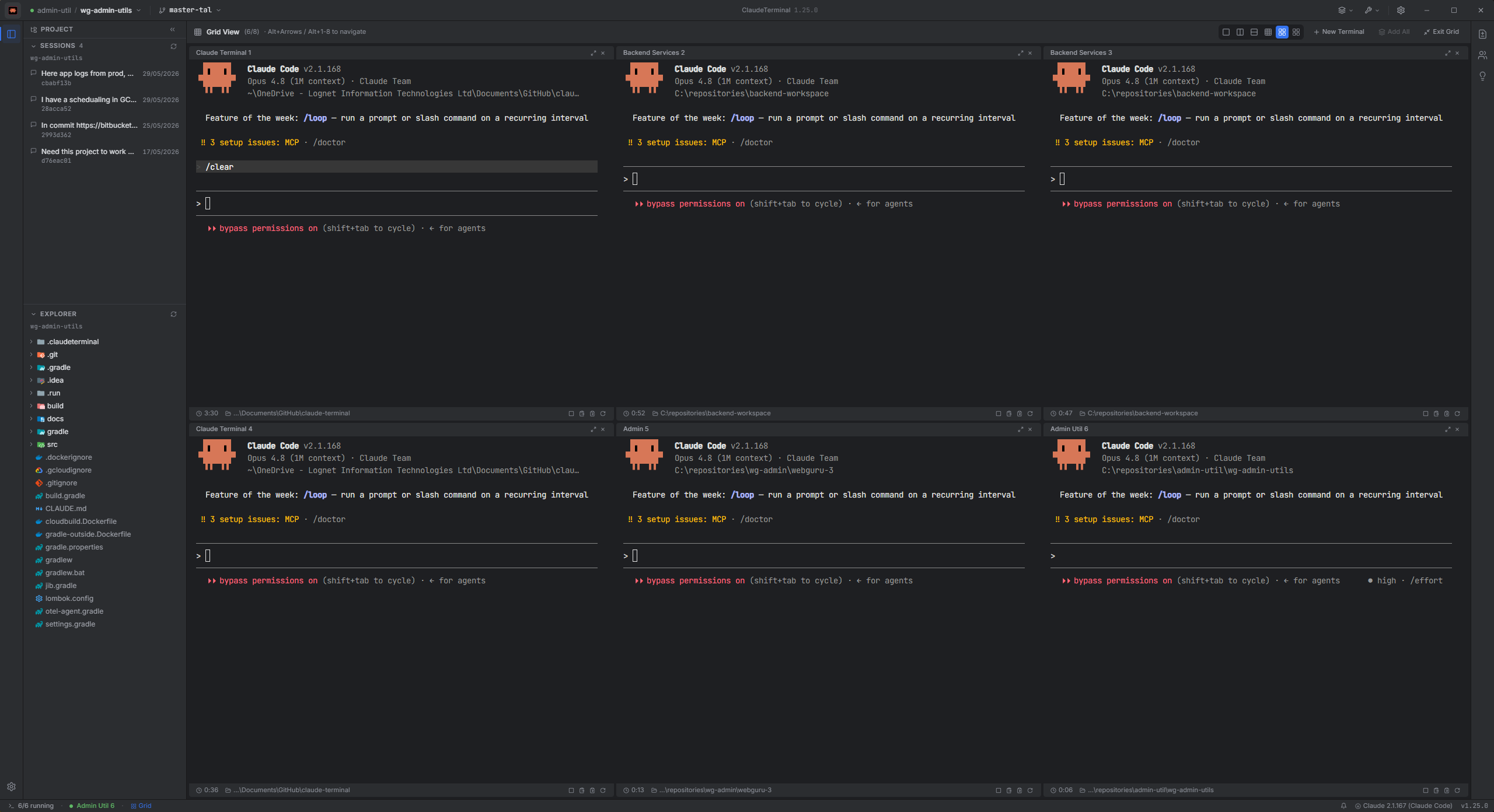
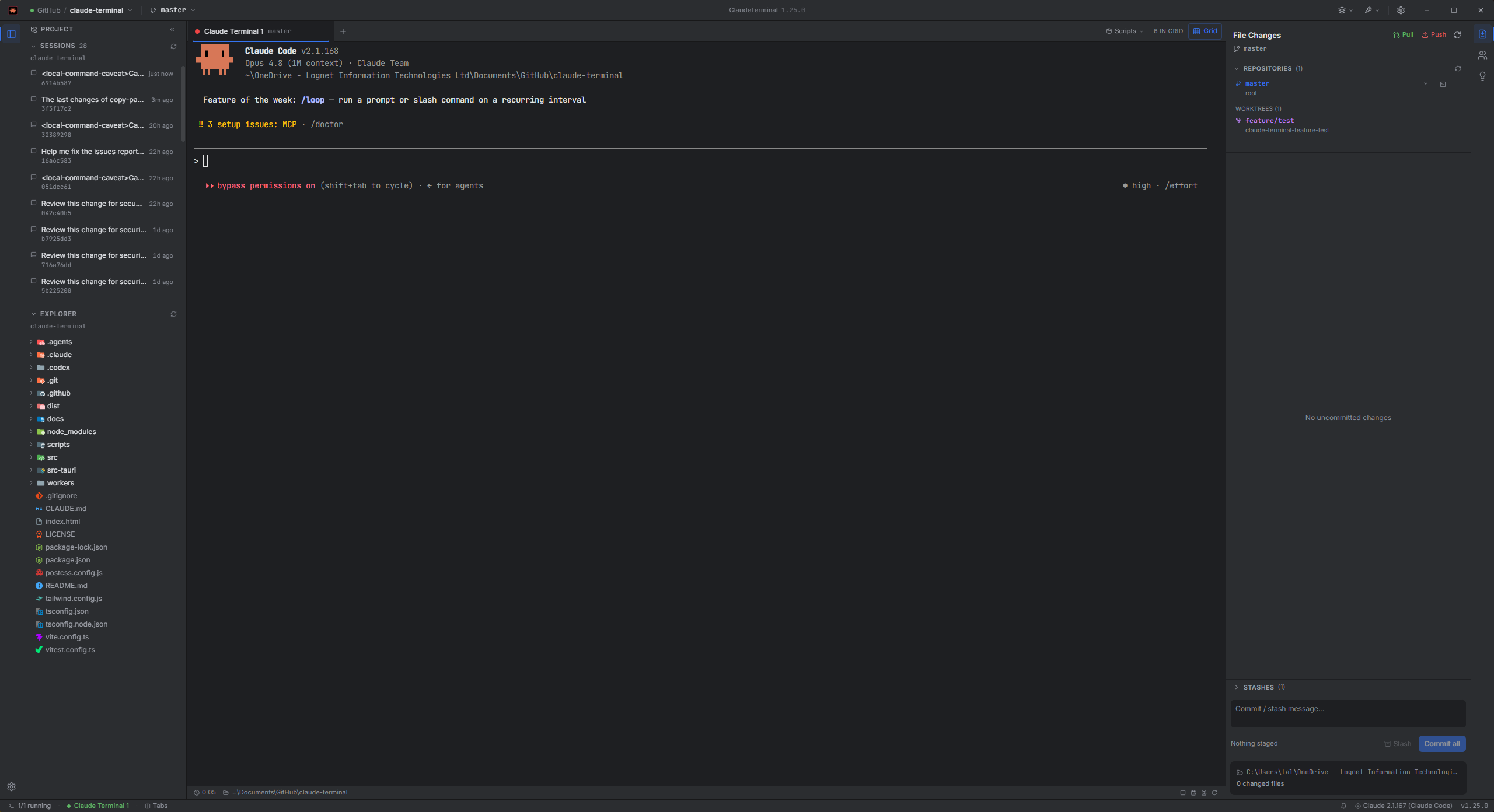
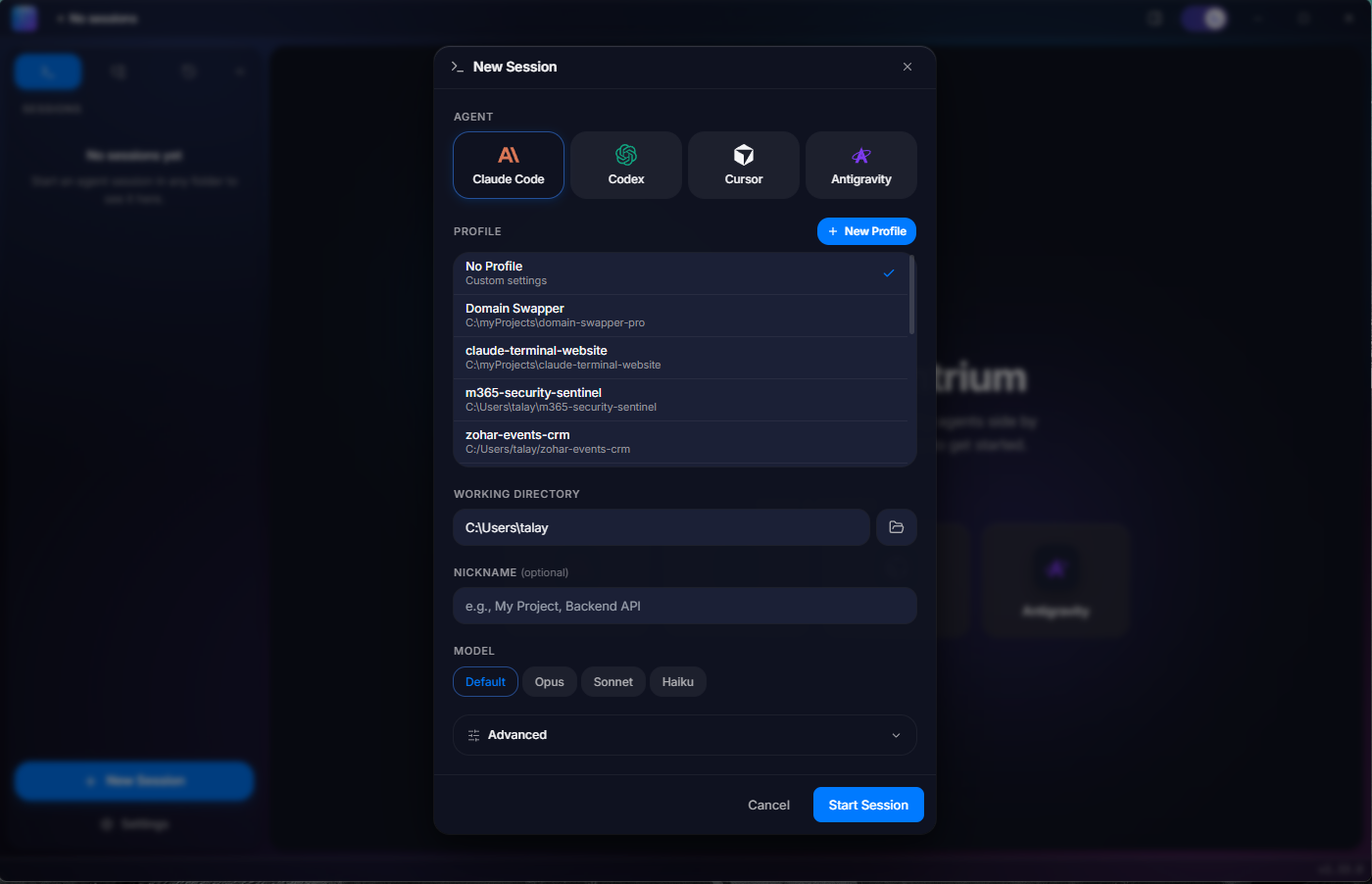
Download
Requires Node.js 22+ and at least one agent CLI installed globally. Claude Code is the quickest start; Codex, Cursor, and Antigravity are auto-detected once on your PATH.
npm i -g @anthropic-ai/claude-code macOS 11 or later
Windows 10 or later
Builds are not code-signed yet. On macOS, right-click the app then choose Open
(or run xattr -dr com.apple.quarantine /Applications/Agentrium.app).
On Windows, SmartScreen shows a warning: click More info, then Run anyway.
The source is on GitHub.